Part 01The question behind Harmonic
Before we talk about the slider at the top of the screen, ask one simple question: what makes two lossless recordings of the same performance sound different?
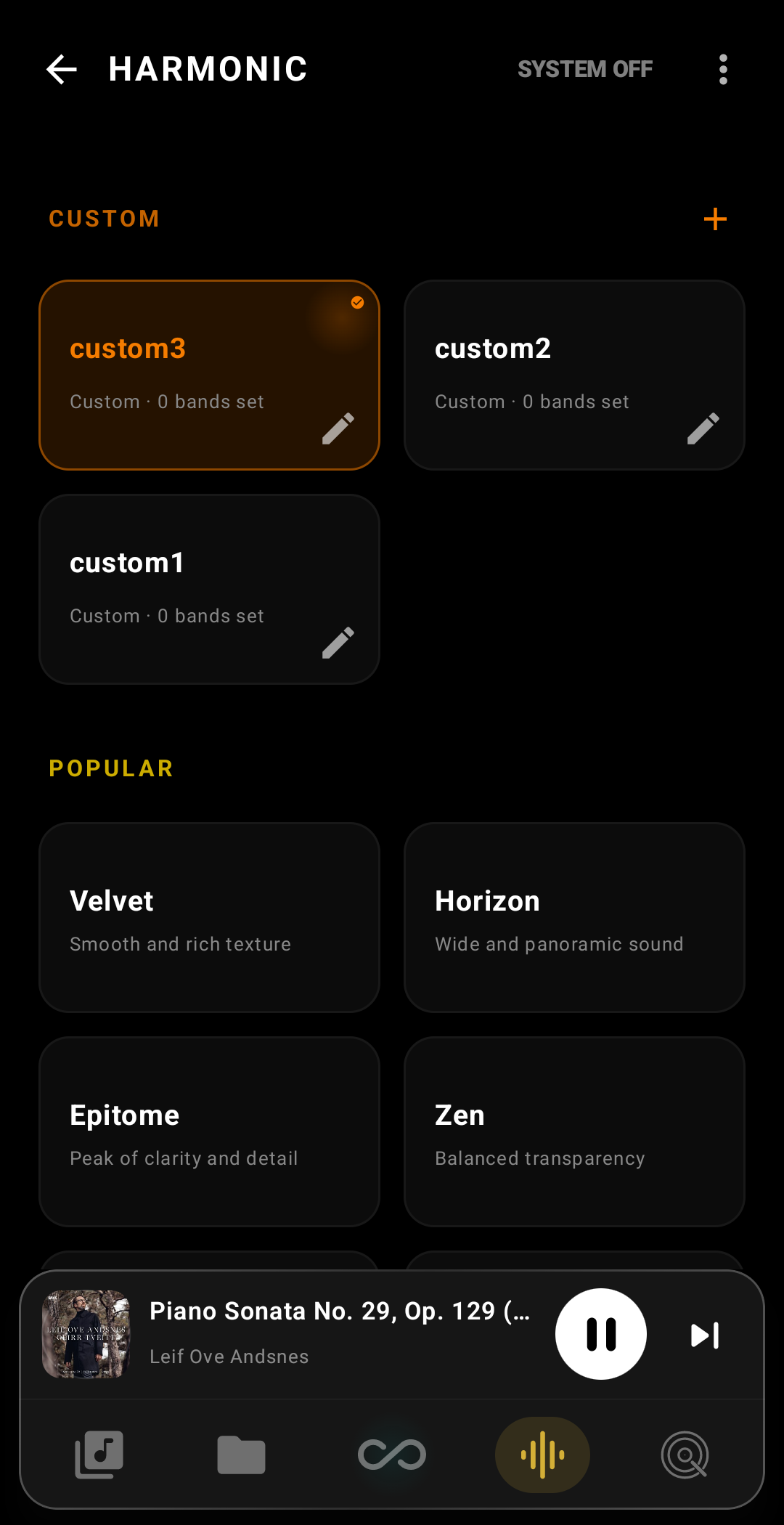
Not the level, not the bit depth, not the sample rate. What changes is the distribution of tiny harmonics — integer multiples of the fundamental — added on top of the signal. Every real DAC adds them slightly, and your ears recognise that as “warmth”, “edge”, “presence”, “air”. Harmonic lets you choose how much of each, from the 2nd up to the 10th — nine bands, applied inside the FPGA before the discrete switching array that drives the headphones.
Because the effect is added at the bit-stream layer, it is lossless with respect to the source file. The file on your SD card is never modified. Turn Harmonic off — even for a single track — and the signal is mathematically identical to a pure Δ-Σ reconstruction of the original PCM.
Part 02Why DX340 can do this
Most digital audio players ship with a fixed DAC chip — Sabre, AKM, Cirrus. That chip's harmonic character was decided at the silicon factory and cannot be altered.
DX340 is different. iBasso replaced the DAC chip with an FPGA and a discrete switching array of 512 pulse-width elements — 16 per channel across 8 channels, collapsing natively into L+, L−, R+, R−: a true balanced output at the silicon, with no analog differential stage in the path. Because the FPGA is programmable, the same hardware can be voiced as a warm tube amp, a neutral reference DAC, or anything between. Harmonic is the user-facing surface of that fact.
Part 03What “Band 1” really is
The app labels the nine sliders as B1 through B9. This is the hardware bank index and we display it honestly. But musically, what you are actually adjusting is:
| Slider label | Harmonic | Frequency (at 1 kHz note) | Parity |
|---|---|---|---|
| B1 | 2nd | 2 000 Hz | Even |
| B2 | 3rd | 3 000 Hz | Odd |
| B3 | 4th | 4 000 Hz | Even |
| B4 | 5th | 5 000 Hz | Odd |
| B5 | 6th | 6 000 Hz | Even |
| B6 | 7th | 7 000 Hz | Odd |
| B7 | 8th | 8 000 Hz | Even |
| B8 | 9th | 9 000 Hz | Odd |
| B9 | 10th | 10 000 Hz | Even |
There is no “1st harmonic” because the 1st harmonic is the fundamental itself — and you cannot boost the fundamental, that would just be a volume knob. Real harmonic control starts at the 2nd.
The frequencies in the table are for a 1 kHz test tone only. The overtones move with the note you are playing. On an A4 violin (440 Hz), the 2nd harmonic is 880 Hz, the 3rd is 1 320 Hz, and so on. This is important: Harmonic is not a fixed-frequency equaliser. It does not say “boost 2 kHz”. It says “boost the 2× overtone of every note” — which means it follows the music. Low bass notes get low-frequency harmonic reinforcement; high vocals get high-frequency reinforcement. That is why it sounds natural where a parametric EQ centered at 2 kHz would sound artificial.
Part 04Even vs odd — the single most important thing to know
Centuries of acoustic instrument design — and half a century of audio electronics design — have settled on one rule that is as close to a law as this field has:
Even harmonics (2nd, 4th, 6th, 8th, 10th) make a sound warmer, rounder, sweeter.
Odd harmonics (3rd, 5th, 7th, 9th) make a sound harder, edgier, more cutting.
The physical reason is simple. An even harmonic of a note lies exactly one or two octaves above that note — musically, it is the same note, just higher. Add it and the ear hears reinforcement, not dissonance. An odd harmonic of a note, by contrast, lies at an interval that clashes with the fundamental: the 3rd harmonic is an octave-plus-a-fifth above, the 5th is two octaves plus a major third, the 7th sits on a minor seventh that the brain interprets as tension. Add too much odd content and the sound grows unpleasant — sibilant, harsh, fatiguing over time.
This is why tube amps are prized for warmth. Tubes, when overdriven slightly, generate almost exclusively even harmonics. This is also why cheap solid-state amplifiers are often called “clinical” or “sterile” — they generate slightly more odd harmonics than even ones, and the ear hears it as edge.
When you design a custom Harmonic profile, keep one rule in mind: if you want warmth, lean on B1 / B3 / B5 / B7 / B9 (the even harmonics). If you want clarity and bite, lean on B2 / B4 / B6 / B8 (the odd harmonics). Never max everything out. A good profile is a small collection of deliberate choices — usually two or three bands pushed a little, and the rest left at zero.
Part 06Design your own profile — four starting points
The factory presets are tuned templates. Use them until you know what you like, then write your own. Here are four archetypes that cover most taste-spaces, expressed in coefficient values you can type directly into the custom editor.
The “Polite and warm” profile All-even
B1 (H2)  +1800    — warmth
B2 (H3)      0
B3 (H4)   +600    — a touch more roundness
B4 (H5)      0
B5 (H6)   +200
B6 (H7)      0
B7 (H8)      0
B8 (H9)      0
B9 (H10)     0
The “Cutting edge” profile All-odd
B1 (H2)      0
B2 (H3)  +2200    — edge
B3 (H4)      0
B4 (H5)   +800
B5 (H6)      0
B6 (H7)   +300
B7 (H8)      0
B8 (H9)   +150
B9 (H10)     0
The “Tube amp impression” profile Even-dominant + hint of odd
B1 (H2)  +3200    — dominant warmth
B2 (H3)   +500    — small amount of odd to keep it from feeling muffled
B3 (H4)  +1400
B4 (H5)      0
B5 (H6)   +400
B6 (H7)      0
B7 (H8)   +100
B8 (H9)      0
B9 (H10)     0
The “Clean studio reference” profile Near-linear
B1 (H2)   +200
B2 (H3)   -150    — suppress a touch of inherent 3rd-harmonic
B3 (H4)      0
B4 (H5)    -80
B5 (H6)      0
B6 (H7)      0
B7 (H8)      0
B8 (H9)      0
B9 (H10)     0
Part 11A/B test — trust your ears, not your eyes
When you are designing a Harmonic profile, you are looking at nine sliders and reading numbers. Numbers lie. Your ears do not. The A/B button on the create-profile screen exists for one reason: to make the act of looking at numbers irrelevant for a moment, so you can decide whether the sound you just dialled in is actually better than no Harmonic at all.
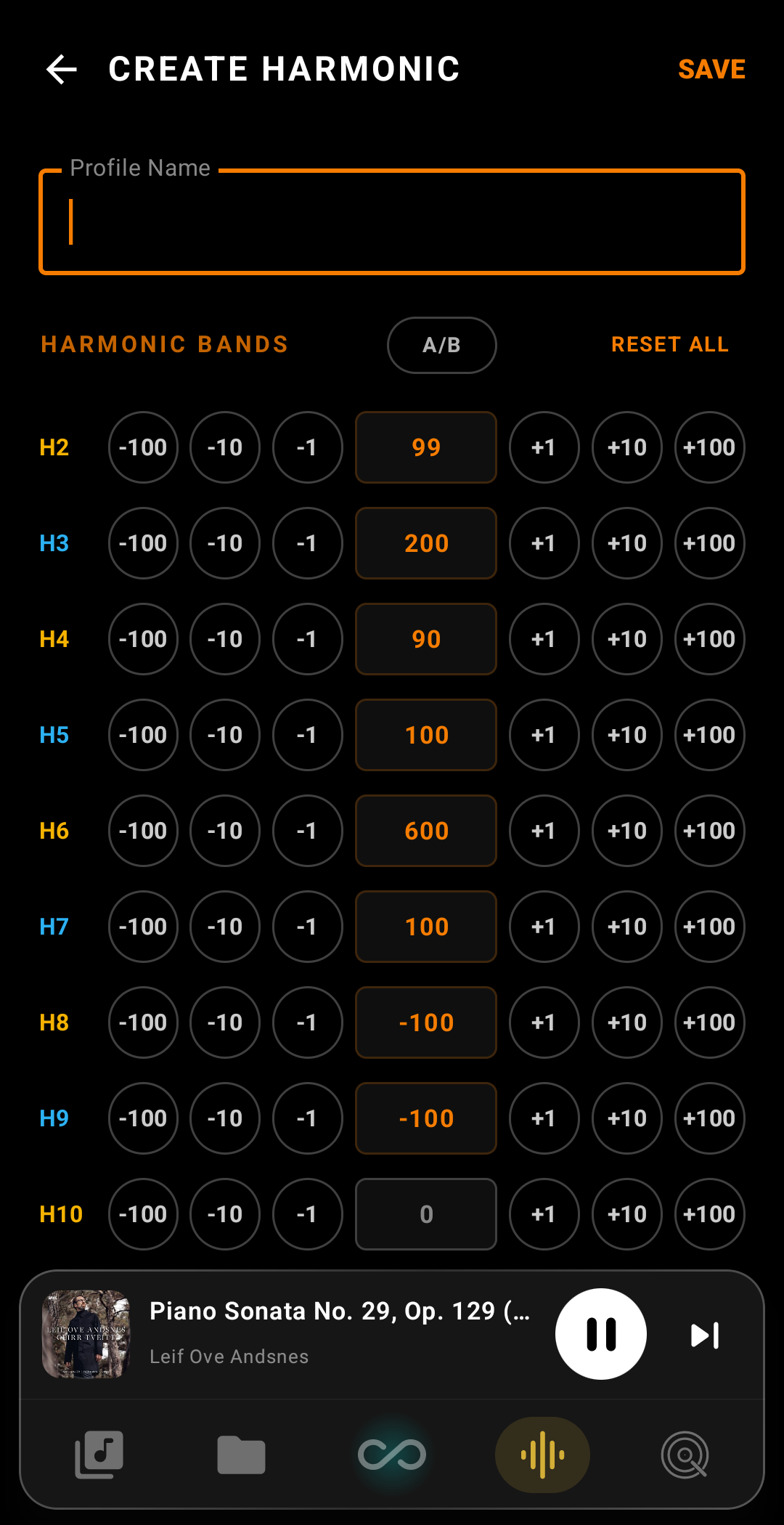
How it works. Press A/B and the FPGA instantly drops every band to zero — flat, untouched, the same signal a $50 USB DAC would output. The button label changes to A · OFF to remind you that you are now hearing the reference. Press it again and your tuned profile snaps back. The switch happens in about 5 milliseconds at the silicon level; there is no fade, no skip, no click. You can flip back and forth in the middle of a vocal phrase and the only thing that changes is the colour of the sound.
Why it matters. Human hearing has remarkable short-term memory for tonal balance — about three to five seconds before the impression fades and your ears start adapting to whatever they are hearing now. Any A/B test that takes longer than that is no longer comparing two sounds; it is comparing one sound to a memory of another. A/B mode collapses the gap to nothing, so your decision is made on what you actually hear, not on what you think you remember hearing.
While A/B is on, the sliders are locked. This is deliberate. If you could keep editing the profile while comparing it to OFF, you would never know whether the change you just made was an improvement — you would only know that something sounds different. Lock the profile, decide whether your tuning beats flat, then turn A/B off and refine. Repeat until A wins consistently. That is when you save.
A/B test is, in our opinion, the single most important button on the create-profile screen. Use it often. Trust it more than the numbers.
Back to Infinity Player™
Explore the rest of the player's features, or return to the home page.
← Back to home